Job-Hunting Photo Size in Japan: Resume (Rirekisho) & Entry Sheet Requirements, Including Digital Submission

December has arrived, and more and more customers are coming in to have their job-hunting ID photos taken.
At 19Studio, the one thing we always check before a shoot is the photo size. Whether your photo will be attached to a paper resume or sent as a digital file, it's worth learning the rules so you can submit a photo that meets each company's requirements.
In this article, we explain everything you need to know about photo sizes!
1. Attaching a Photo to a Paper Resume

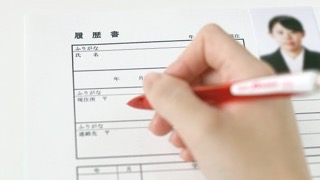
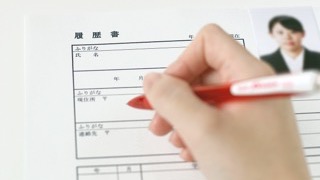
Resumes (rirekisho) sold at convenience stores and stationery shops in Japan almost always have a photo box that is 36–40 mm tall and 24–30 mm wide. If you prepare a photo that is 4 cm tall × 3 cm wide, you'll be safe.
There are no specific rules about how large the face should be or where it should be placed in the photo. The best choice is a photo that shows you from the shoulders up, with your face clearly visible and taking up about 70% of the photo's height.
If you're using a resume form provided by the company, it may have its own size requirements. Be sure to check the size of the photo box in advance.
2. Submitting a Photo Online
When you submit an ID photo as a digital file, such as in an online application ("web entry"), the company may specify the "photo size."
This "photo size" can mean two completely different things, so be careful.
Pixels = Height and Width
A pixel (sometimes written "px") is the unit used to measure digital images.
The two most common sizes are 560 × 420 pixels and 600 × 450 pixels.
Since the height-to-width ratio is almost always 4:3, it's safest to ask for your data in a 4:3 ratio when you receive it from a photo studio.
MB and KB (Megabytes and Kilobytes) = File Size
A byte (B) is a unit of data capacity. It doesn't describe how big the photo looks, but how "heavy" the file is.
Unless a limit is specified, it's safest to keep the file under 2 MB. If the file is too large, the upload may fail, or you may not be able to send it as an email attachment.
Under 2 MB is generally safe, but some companies ask for files of 1 MB or even smaller. Check the requirements when you upload.
We've also put together tips for uploading ID photos online in another article.
It also explains what to do if your photo's file size is too large, so please take a look!
3 Key Points for Uploading Your ID Photo Online
Submitting an ID photo online: you might think, "I just upload the photo, right?" But once you actually try it, there are some surprising pitfalls. In this article, we cover what to watch out for when uploading your job-hunting ID photo online…
 19Studio Shinjuku – Job-Hunting Photos | Same-Day Booking OK · Lowest Price

That's our guide to choosing the right ID photo size!
If you submit a photo that doesn't meet the requirements, there's a very high chance you'll be seen as careless or lacking in professional manners. Before worrying about how good you look in the photo, make sure you submit one in the correct size.
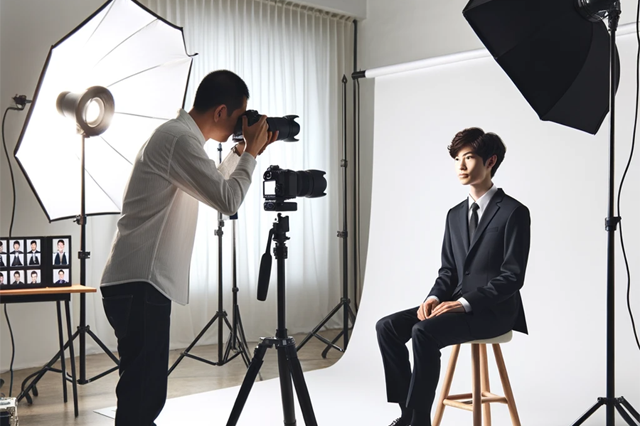
If you're not confident about preparing a photo in the right size yourself, we recommend having it taken at a photo studio where you can show the staff the requirements and have them confirm the details.
- I joined as a new graduate and now manage the studio's operations. Not long ago I was a job seeker myself, so I know the worries firsthand: "What kind of photo makes a good impression?" "Are my hair and clothes okay?" I share practical tips from a viewpoint close to job seekers.
Latest posts
 Photo Booths at StationsMarch 29, 2024Where to Find ID Photo Booths Near Shimbashi Station [JR, Tokyo Metro & Yurikamome]
 Photo Booths at StationsMarch 28, 2024Photo Booth Locations Near Kanda Station: ID & Job-Hunting Photos, Easy Access from Multiple Stations
 Photo Booths at StationsMarch 22, 2024ID Photo Booths Near Ebisu Station: Locations in a Busy Office Area