The New Standard for Job Hunting in Japan: How to Prepare Your ID Photo for Online Upload

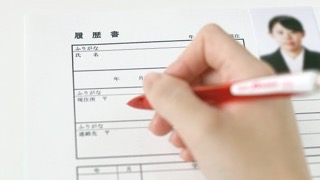
In Japan, ID photos used to be printed and glued onto a résumé (rirekisho) before submission.
As online entry sheets (the application forms Japanese companies ask job seekers to fill in) have become the norm, more and more companies now ask applicants to upload their photo to their personal account page on the company's recruiting site.
How do you get your photo as a digital file? And how do you upload it? If you're wondering about this, you're not alone.
This guide is for you! We explain the key points to watch for when uploading an ID photo online.
Contents
We recommend uploading the original photo data
When uploading an ID photo online, we recommend using the original data from your photo shoot.
We don't recommend scanning a printed photo, or photographing it with your phone or a camera to turn it into data. The image quality tends to drop, and the photo often looks dark and unnatural. A scanned photo can also end up crooked or blurry. If the image quality is poor or your face isn't clearly visible, the photo may be rejected as an ID photo, or it may give a sloppy impression. Always use the original shoot data when you submit a digital photo.
So how do you get the original data?
Here are two easy ways!
Option 1: Transfer the data from an ID photo booth

Some ID photo booths can send your photo data to your phone.
The usual way to receive the data is to take your photo in the booth and then scan the QR code on the printed photo with a dedicated app. On some machines, you need to choose a menu option that includes data transfer to your smartphone before you start the shoot, so be careful.
The data is usually available for only about 7 days. Be sure to save it soon after your photo is taken.
Because you receive the data on your phone, you can upload it straight to a company's account page, which is very convenient. Most recent machines have a data transfer feature, but some older models don't. Check before you take your photo.
Option 2: Receive the data at a photo studio
Many photo studios also provide your photo as digital data.
Now that online applications are so common, many studios include the digital data in their basic plan rather than offering it as an option.
The delivery method differs from studio to studio, so if you want the data, it's a good idea to check in advance.
・CD-ROM
・Download from a website
・Sent by email
These are the most common methods.
If the company requires a specific file size or file format, we recommend talking to the studio beforehand. To avoid receiving your data only to find it doesn't meet the employer's requirements, check the photo specifications first so you can feel at ease.
Even when you receive your data at a studio, pay attention to how long it is stored. Most studios keep the data for 6 months after your photo is taken. If you plan to reuse a photo you used for an internship application in your main job-hunting applications, make sure to save it to your own phone or computer.
At 19Studio, get your data easily via LINE with no loss of quality

At 19Studio, we send your photo data via LINE (a popular messaging app in Japan).
We upload the file to Google Drive and send it to you, so there's no loss of image quality, and customers tell us it's easy to use!
With the data saved on your phone, uploading it to a company's page is easy. If you need to crop the photo to a company's specified size, you can do that quickly in an app, too.
19Studio also provides your file at 1 MB or less.
On many sites, the maximum file size for an uploaded photo is 2 to 3 MB. Our files are delivered at a size that's easy to submit to employers, so you don't have to worry about hitting the limit.
Summary
In this article, we explained how to prepare your ID photo data for online upload!
These days, you'll often use the digital photo more than a printed one. Since you can reuse the data again and again, make sure you have a clean photo you're happy with.
Even if you don't plan to submit a digital photo, it's a good idea to receive the data anyway, because you can use it to print extra copies. If you realize while out that you forgot to attach a photo to your résumé, you can print it at a convenience store as long as the data is on your phone.
You went to the trouble of having your ID photo taken, so prepare a good-quality file and submit it with confidence!

- I love writing and I'm currently studying copywriting. I turn the questions our guests often ask and the things I notice in the studio into easy-to-read articles about job-hunting and ID photos, so that even first-timers can understand them.
Latest posts
 Job-Hunting ID PhotosOctober 28, 2026【Job Hunting on a Budget】How to Get High-Quality ID Photos Affordably
 Hair, Makeup & OutfitsOctober 26, 2026Can I Take a Job Hunting Photo with My Top Button Open?
 Job-Hunting TipsOctober 26, 2026[Winter Hiring / Job Hunting Start] What Are Smart Cold Weather Countermeasures for Winter Job Hunting?