Photos for a Part-Time Job Résumé in Japan: Size, How to Take Them, and Smartphone Tips
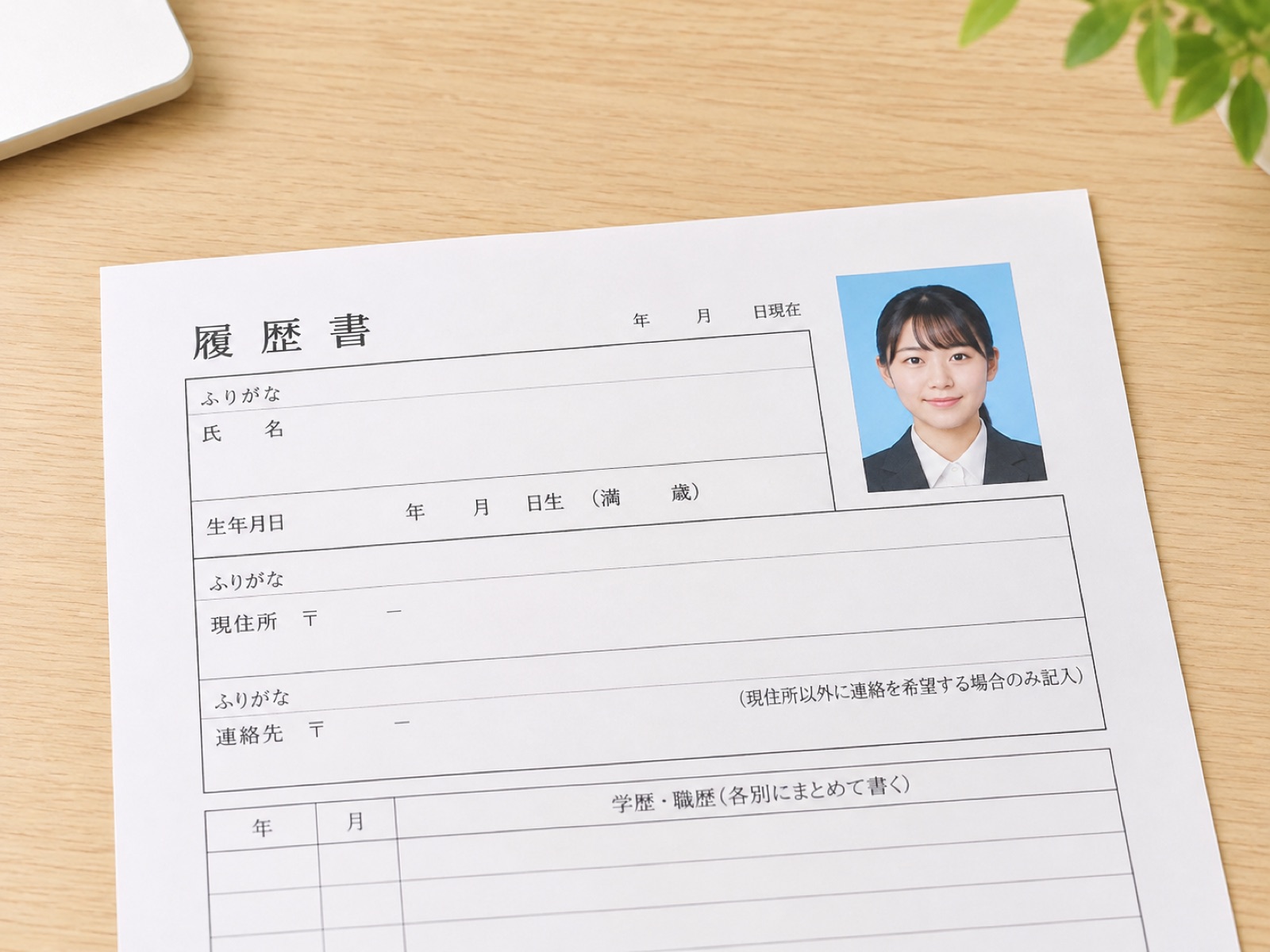
Even when you're applying for a part-time job, if your résumé (in Japan, usually a standard form called a rirekisho) has a photo box, you should generally attach a photo. The standard size is 4 cm tall × 3 cm wide.
You can get your photo from a photo booth, a smartphone, or a photo studio. Any of them is fine. In this article, we'll explain how to choose between them, then share tips for taking and attaching your photo.
Walking distance from Shinjuku Station2 min from Shinjuku-gyoemmae Station Need it done fast & easy?Same-day booking OKSame-day pickup OK
 Book Now
Contents
- Do You Need a Photo on a Part-Time Job Résumé? If There's a Photo Box, Attach One
- Résumé Photo Size Is 4 cm × 3 cm | The Basic Rules to Know First
- 3 Ways to Get Your Photo | Photo Booth vs. Smartphone vs. Photo Studio
- Can You Use a Smartphone Photo on Your Résumé? Opinions Differ
- Clothing, Hair, and Expression: Just Aim for a Clean, Neat Look
- How to Attach Your Résumé Photo and Tips for Online Applications
- Summary: Get the Size Right and Look Clean and Neat, and Your Résumé Photo Is Set
Do You Need a Photo on a Part-Time Job Résumé? If There's a Photo Box, Attach One
In short, if your résumé has a photo box, attach a photo, even when you're applying for a part-time job. Without one, your application may look unfinished.
The photo helps the employer get a sense of who you are. A single clean, neat photo can brighten the impression your whole application makes.
Some job listings say “no photo required,” and some applications are done entirely online. In those cases, just follow the instructions in the listing.
Résumé Photo Size Is 4 cm × 3 cm | The Basic Rules to Know First
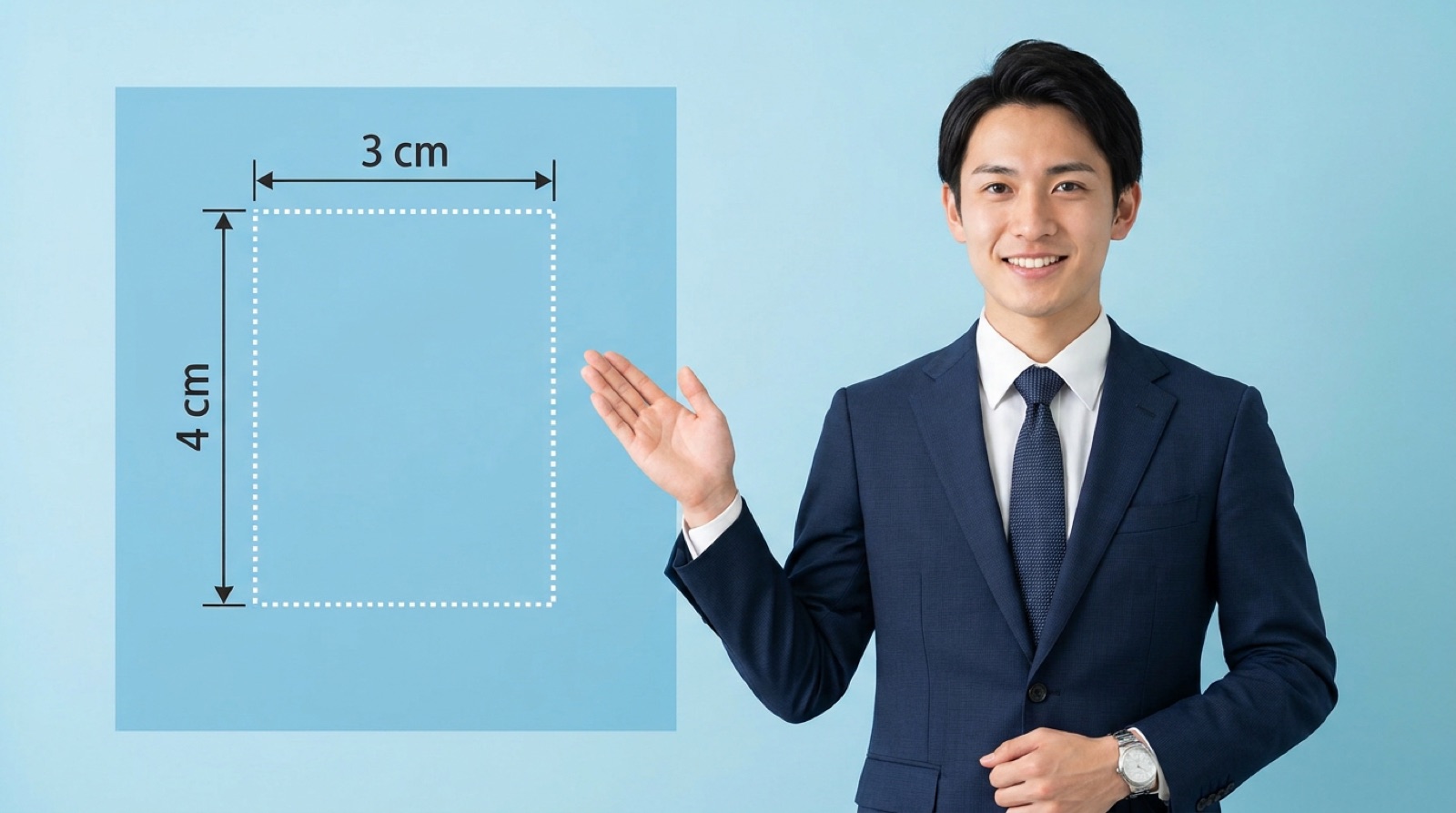
Most résumé forms sold in Japan have a photo box that is 4 cm tall × 3 cm wide. If you're not sure, prepare a photo that is 4 cm tall × 3 cm wide, and it will fit almost any résumé.
| Item | Guideline |
|---|---|
| Size | 4 cm tall × 3 cm wide (if a size is printed in the photo box, follow that instead) |
| When taken | Within the last 3 months (many résumé forms state this in the photo box) |
| Framing | Facing forward, from the chest up |
| Background | Plain white, light blue, or light gray |
| Color | Color photos are standard |
On some résumé forms, the photo box is a slightly different size. Before attaching your photo, check the size printed in the photo box.
It's best not to reuse a photo from years ago. If your hairstyle or overall look has changed, you won't match your photo when you meet at the interview.
3 Ways to Get Your Photo | Photo Booth vs. Smartphone vs. Photo Studio
There are three main ways to get your photo. Choose based on how soon you need it and how much you care about the finish.
| Method | Pros | Things to watch out for |
|---|---|---|
| Photo booth | Found at train stations and shopping centers; you get your photos on the spot | Many machines limit how many retakes you get |
| Smartphone + convenience store printing | Retake as many times as you like; easy to keep costs low | You have to adjust the background, lighting, and size yourself |
| Photo studio | A photographer checks your posture and expression; digital files are often included | Takes time to get there and book; usually costs more than the other methods |
If you need a photo for an interview tomorrow, a photo booth or smartphone is the easiest option. If you plan to apply to several places, choose a method that gives you digital files. It's handy because you can print extra copies and reuse it for online applications.
Can You Use a Smartphone Photo on Your Résumé? Opinions Differ
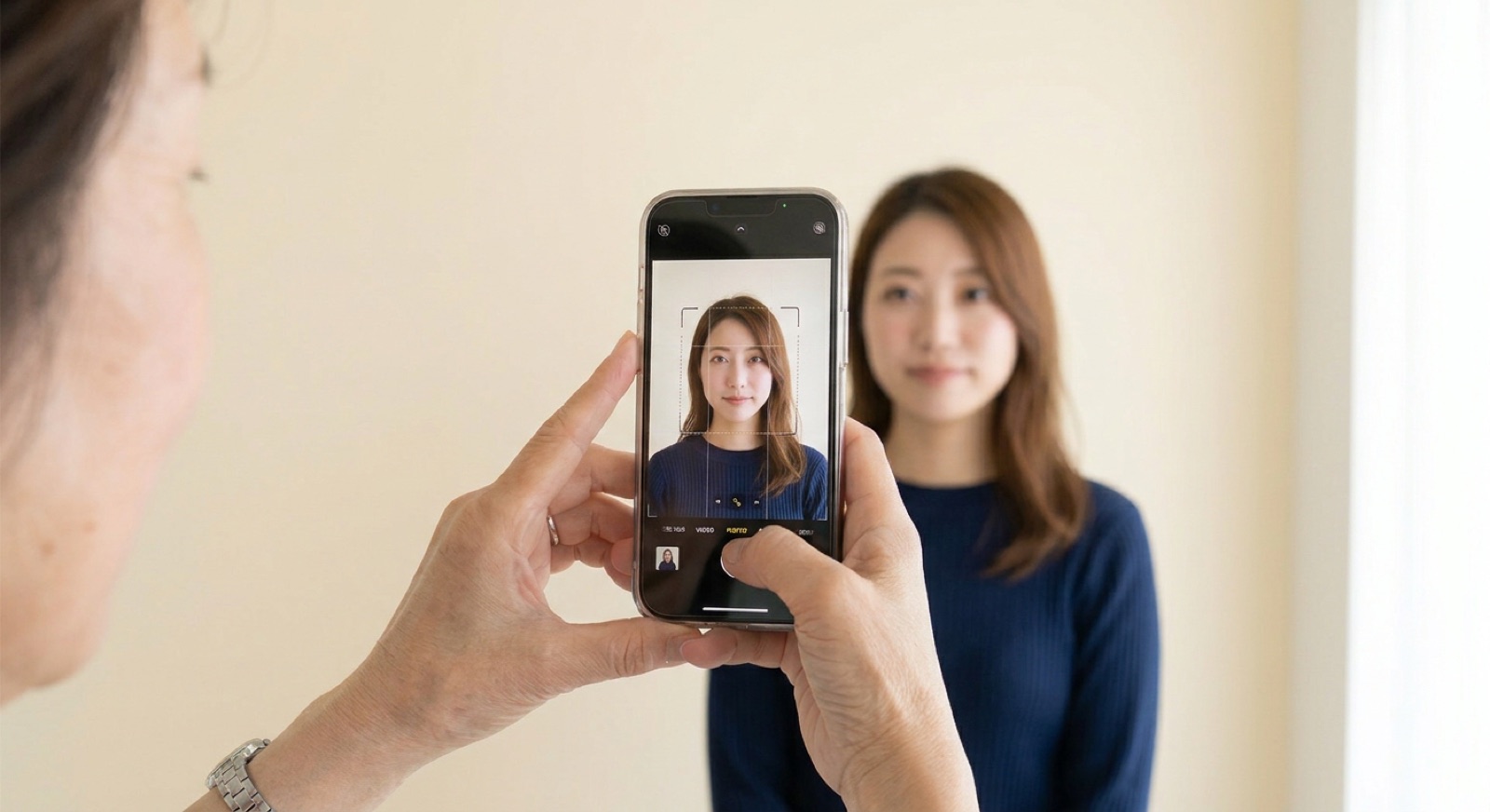
Whether it's okay to use a smartphone photo on your résumé is something opinions differ on. Below are the advantages of each view, so you can choose what works for you.
Advantages of the “A smartphone photo is fine” view
- You can retake it as often as you like and pick a shot you're happy with
- It costs little, and you can get it ready whenever you want
- For part-time jobs, some employers don't look closely at how the photo was taken
Advantages of the “Use a photo booth or studio” view
- The background and lighting are even, which tends to give a polished impression
- No hassle with sizing or printing
- Taking care with your photo can come across as a sign that you're conscientious
Neither one is the single right answer. It's fine to decide based on the workplace you're applying to and how much time you have to prepare.
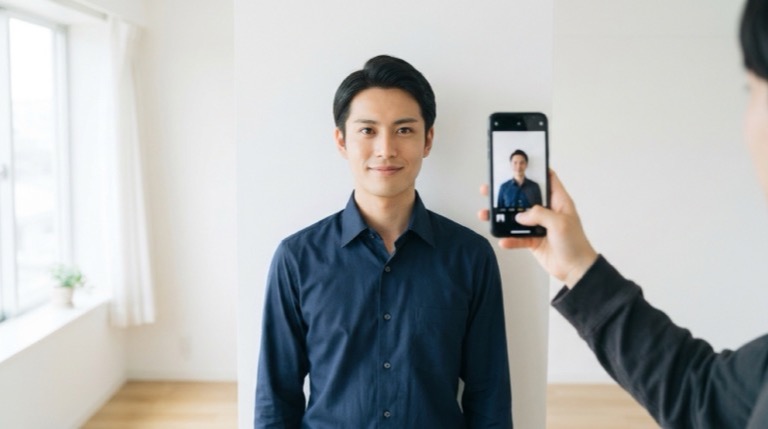
5 Tips for Taking Your Photo with a Smartphone
- Stand in front of a plain, whitish wall
- Shoot somewhere bright light falls on your face from the front, such as near a window
- Instead of taking a selfie, have a family member or friend hold the phone at eye level
- Turn off beauty filters and other effects
- Frame the shot so a little space above your head and the tops of your shoulders are included
If you use an ID photo app to lay out your photo at 4 cm × 3 cm, you can print it on the multifunction copiers at convenience stores. Supported apps and printing methods vary by service, so check each service's instructions before you use it.
Clothing, Hair, and Expression: Just Aim for a Clean, Neat Look
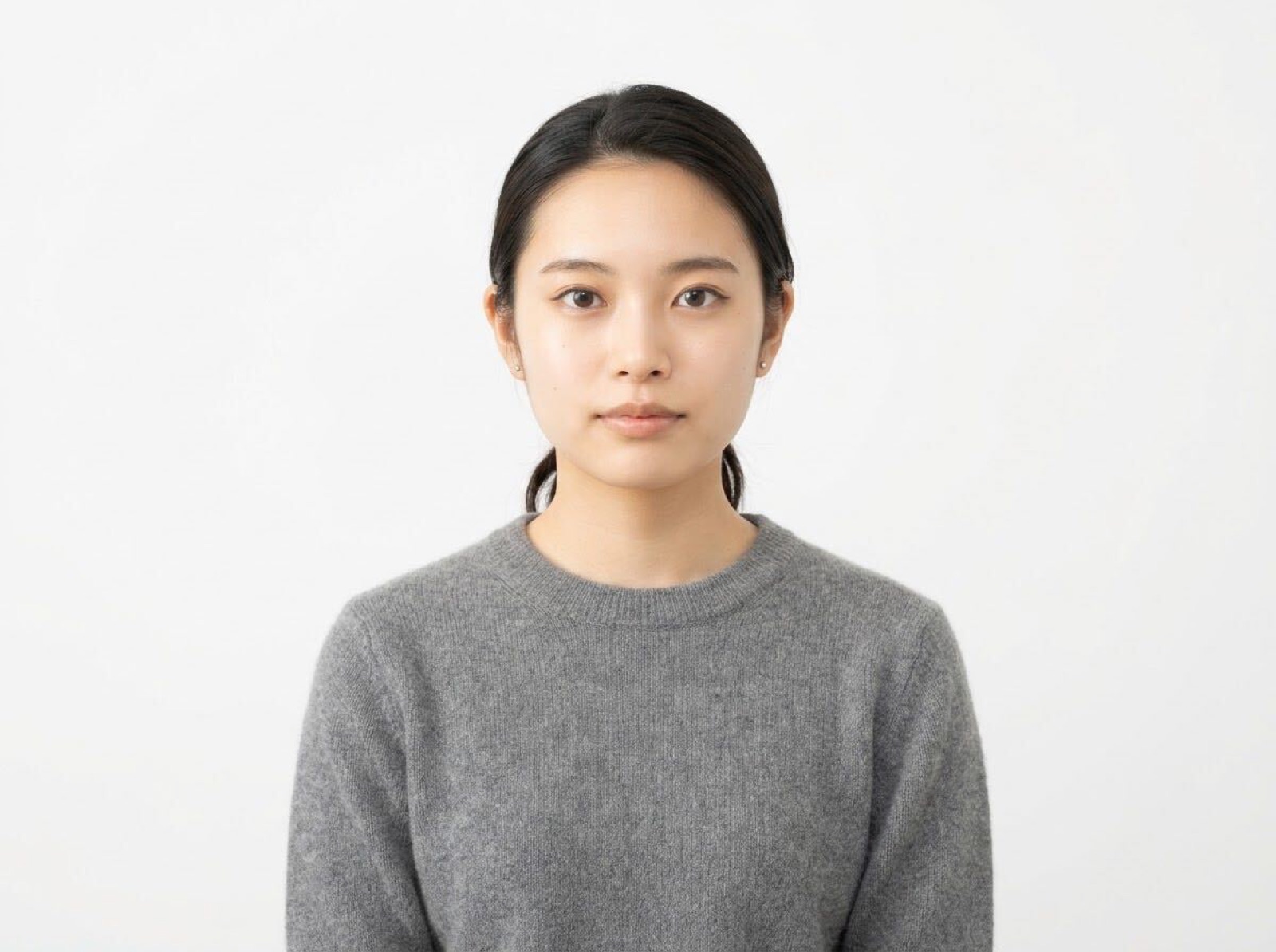
For a part-time job résumé photo, you usually don't need to wear a suit. What matters is looking clean and neat, with your face clearly visible.
Clothing: A collared shirt or plain top is a safe choice
A white shirt or blouse, or a plain knit sweater, works well. Choose something without wrinkles.
It's safer to avoid clothes with large logos or patterns, or tops that show a lot of shoulder.
Hair: Make sure your eyes and eyebrows are visible
Keep your bangs from covering your eyes or eyebrows. Tucking long hair behind your ears or tying it back gives a neat look around your face.
If you're applying to a job where cleanliness matters, such as at a restaurant, we also recommend wearing your hair tied back in the photo. It makes it easier for the employer to picture you on the job.
Expression: Close your mouth and lift the corners slightly
Don't show your teeth; just lift the corners of your mouth slightly. Tuck your chin a little and look into the lens for a bright, straightforward impression.
How to Attach Your Résumé Photo and Tips for Online Applications
How to attach your photo to a paper résumé
- Write your name on the back of the photo
- Trim the margins around the photo in straight lines with scissors or a craft knife
- Attach it with double-sided tape or glue so it stays inside the photo box
With your name on the back, anyone can tell whose photo it is if it comes off. Write lightly so the ink doesn't transfer to the front.
Avoid sticking clear tape over the photo. The tape can look shiny, and it tends to peel off over time.
For online applications, use a digital photo file
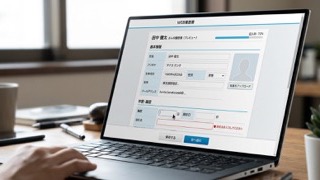
When you apply online, you may be asked to upload a photo file. You can use a photo taken with your smartphone or the digital file you received from a studio.
If there are rules about file format or size, follow the instructions on the job listing page. Before uploading, it's also a good idea to check that your face isn't too dark or too small.
Summary: Get the Size Right and Look Clean and Neat, and Your Résumé Photo Is Set
- If there's a photo box, attach a photo, even for a part-time job
- The standard size is 4 cm tall × 3 cm wide; aim for a photo taken within the last 3 months
- You can get your photo from a photo booth, a smartphone, or a photo studio
- Opinions differ on smartphone photos, so choose based on the employer and how much time you have
- For clothing, hair, and expression, aim for a clean, neat look with your face clearly visible
- Write your name on the back, then attach the photo with double-sided tape or glue
Once your photo is ready, your résumé is almost done. With a photo that shows the real you, go ahead and send off your applications with confidence.
- I have conducted hiring interviews at both listed companies and startups. Drawing on my experience reviewing applications and ID photos as an interviewer, I explain what recruiters really look at in your photo and entry sheet.
 Walking distance from Shinjuku Station2 min from Shinjuku-gyoemmae Station19Studio Shinjuku — ID & Job-Hunting PhotosNeed it fast? No problemSame-day booking & same-day pickupCome empty-handed, shoot right awaySuit compositing option availableBook Now
Latest posts
 Job-Hunting TipsNovember 26, 2026How Long Does Job Hunting Take After Graduation in Japan? Moving from Part-Time Work to a Full-Time Job, and When to Get Your Photo Taken
 Job-Hunting ID PhotosNovember 26, 2026Photos for a Part-Time Job Résumé in Japan: Size, How to Take Them, and Smartphone Tips
 Passport, Visa & Other ID PhotosNovember 25, 2026How to Take an ID Photo with Your Smartphone [5 Steps]: Background, Lighting Tips and Printing